
Remove Background from Image Free
Remove background from any image instantly with AI. Get professional transparent PNG files in seconds. Free background remover — no signup required, no watermarks.
Upload Your Image
Upload your image and remove the background in seconds. Perfect for e-commerce product photos, portraits, and graphic design projects.
Drag and drop or click to upload
or click to browse
JPG, PNG, WebP • Max 10MB
Your images are processed securely and deleted automatically after background removal
Background Removal Before & After
See how the AI background remover handles real-world images across different use cases
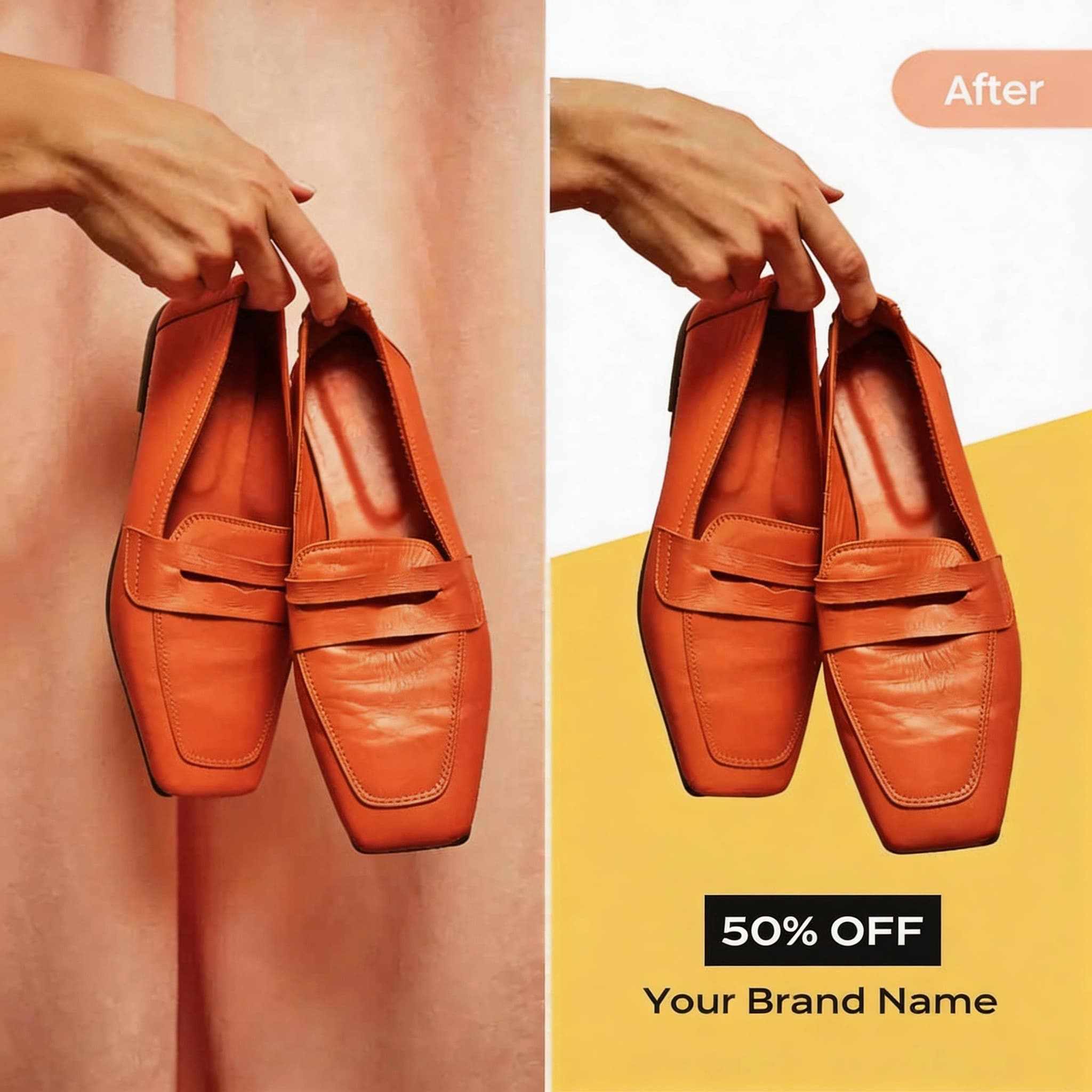
E-commerce Products
Remove background from product photos to create clean, transparent images for your online store
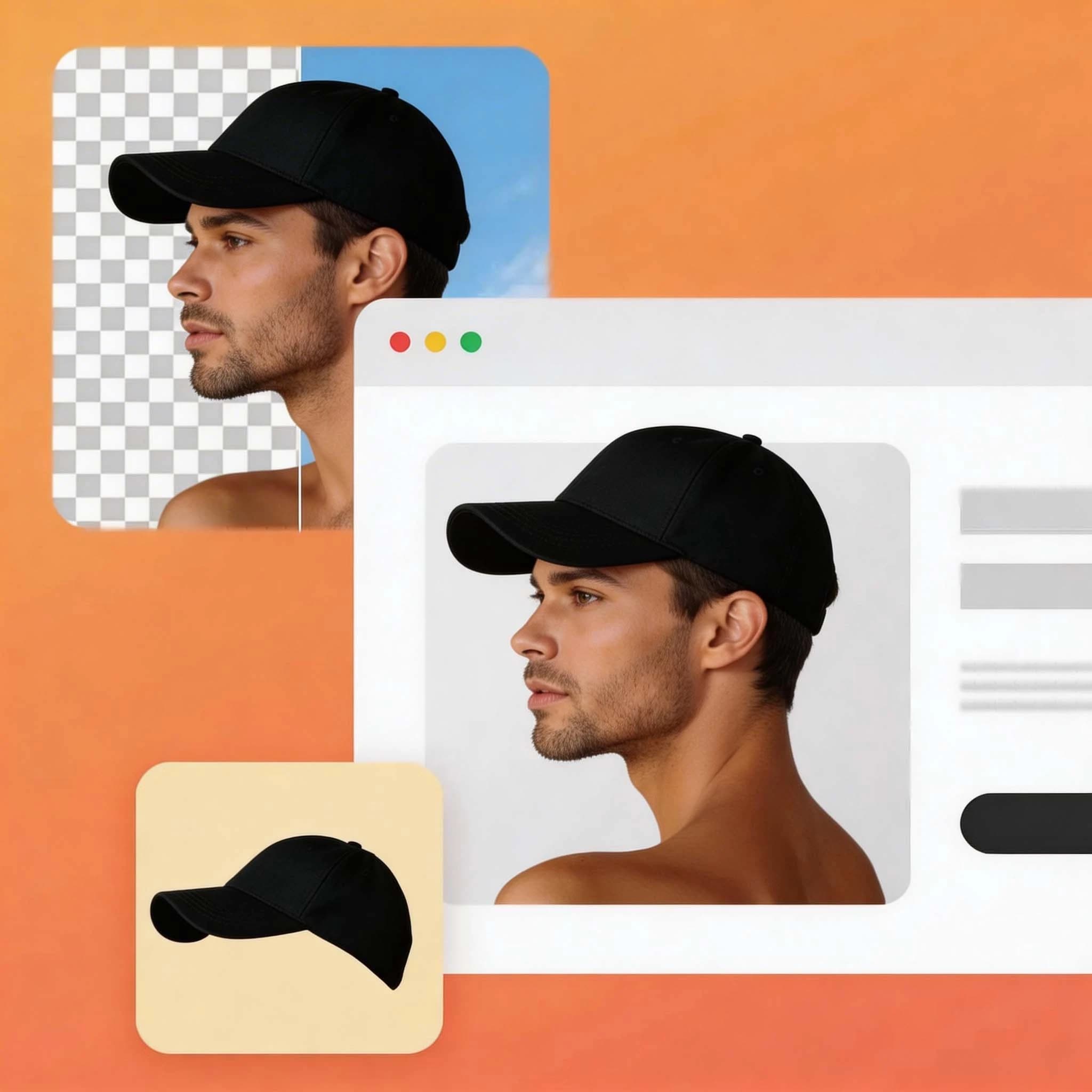
Portrait Photography
Remove background from portraits to create professional headshots with clean transparent edges
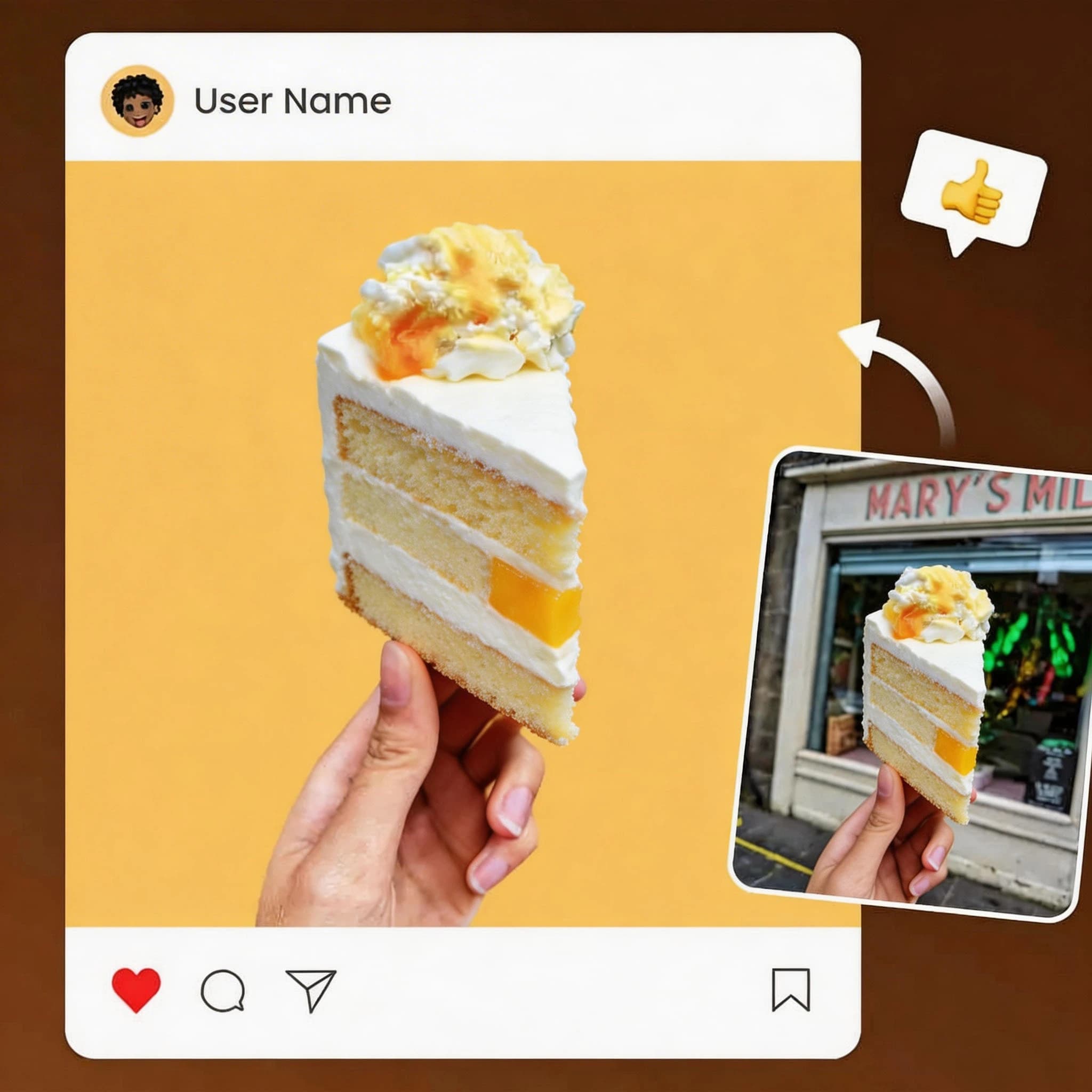
Graphic Design
Remove background from logos and objects to extract clean cutouts for design projects
AI Background Remover by the Numbers
Trusted by creators worldwide to remove background from images at scale
Processing Time
Fast AI background removal
Accuracy
Pixel-perfect edge detection
Images Processed
Backgrounds removed at scale
Free to Use
No hidden fees or watermarks
How to Remove Background from Image in 3 Steps?
The free AI background remover is incredibly easy to use. Just follow these simple steps:
Upload Image
Drag & drop or click to upload your image (JPG, PNG, WebP)
Remove Background
The AI background remover detects and removes the background in seconds
Download PNG
Download your transparent PNG image instantly
Remove Background for Any Project
From e-commerce to social media, the AI background remover adapts to your needs
E-commerce Product Photos
Remove background from product images to create professional listings with clean, transparent backgrounds. Boost conversion rates with consistent, polished product photos across your entire catalog.
Social Media Content
Remove background from photos and place subjects on eye-catching, branded backgrounds. Create scroll-stopping social media posts that stand out in any feed.
Professional Portraits
Remove background from portraits to create professional headshots. Perfect for LinkedIn profiles, team pages, ID photos, and corporate communications.
Graphic Design Projects
Remove background from logos, objects, and subjects with pixel-perfect edges. Create clean cutouts for composites, collages, marketing materials, and presentations.
Background Removal Guides
Everything you need to know about background removal — from beginner tutorials to advanced techniques and API integration.
How to Remove Background Online Free — Step-by-Step Guide
Compare 3 methods: AI tools, Photoshop, and GIMP. Find the best approach for your needs.
Product Photo Background Removal for E-commerce
Marketplace requirements, conversion impact, and batch processing tips.
7 Best Free Background Remover Tools Compared
Honest comparison of speed, quality, free limits, and ease of use.
Make Transparent PNG Without Photoshop — 3 Methods
Understand PNG transparency and learn the best export formats.
Passport Photo Background — White Background Guide
Country-by-country requirements and DIY passport photo creation.
Remove White Background from Logo — Transparent PNG
Fix white halos and fringe. Make your logo work on any background.
Bulk Remove Background from Multiple Images
Manual batch processing vs API automation. Save hours of work.
Background Removal API — Developer Integration Guide
Code examples in Python and JavaScript. Integrate into your app fast.
Common Use Cases
Remove backgrounds for specific purposes — passport photos, product images, profile pictures, and more.
Passport Photo Background
Remove and replace background from passport photos. Supports US, UK, EU, China official sizes with white/blue/red backgrounds.
Learn MoreEcommerceProduct Photo Background
Create clean white background product images for Amazon, Shopify, eBay. Preserve shadows and reflections automatically.
Learn MoreProfileProfile Picture Background
Create professional headshots for LinkedIn and resume. AI handles hair edges perfectly with transparent or white output.
Learn MoreRemove Background FAQ
Everything you need to know about how to remove background from images with AI
1How do I remove background from an image?
How do I remove background from an image?
Upload your image to the background remover tool above, click 'Remove Background', and download your transparent PNG in seconds. No technical skills required — the AI handles the entire background removal process automatically.
2Is the background remover really free?
Is the background remover really free?
Yes! You can remove background from images completely free with no hidden costs, subscriptions, or watermarks. The free AI background remover works on unlimited images at no charge.
3What image formats are supported for background removal?
What image formats are supported for background removal?
You can remove background from JPG, JPEG, PNG, and WebP images. Upload images up to 10MB in size for the best background removal results.
4Can I use images with removed backgrounds commercially?
Can I use images with removed backgrounds commercially?
Yes, you own all rights to your processed images. After you remove the background, use the transparent PNG for personal projects, commercial work, e-commerce stores, social media, or any other purpose.
5How accurate is the AI background removal?
How accurate is the AI background removal?
The AI background remover achieves 99%+ accuracy when you remove background from images, preserving fine details like hair, fur, and complex edges. For best results, use high-quality images with clear subject-background separation.
6What happens to my uploaded images after background removal?
What happens to my uploaded images after background removal?
Your privacy is guaranteed. All images are processed securely and automatically deleted from servers immediately after you remove the background. We never store, view, or share your photos.
7Can I remove background from multiple images?
Can I remove background from multiple images?
Yes! You can remove background from multiple images one at a time. For batch background removal of hundreds of images, consider the premium plans with bulk upload features.
8What makes a good image for background removal?
What makes a good image for background removal?
You get the best results when you remove background from high-resolution images with clear subject-background contrast, good lighting, and sharp focus. The AI background remover can handle complex backgrounds, but clearer separation produces more accurate results.
Ready to Remove Background Like a Pro?
Join millions who use the free AI background remover for professional-quality transparent images.
Try It Now